GoDNA Lite
The free edition: the whole importer and runtime, Godot's standard materials, and the GoDNA tab for importing and looking at characters. Products you ship with it credit GoDNA (see License).
What's in it
- The importer: MetaHumans, Character Creator characters and other humanoids become one
Skeleton3Dwith Godot's humanoid bone names, with body, head, clothes and hair cards skinned to it. - Retargeting of Mixamo, UE5 Mannequin and MetaHuman clips through Godot's own import pipeline, with the Retarget From setting in the Import dock.
- GoDNAHuman and the twist, eye and head drivers. The face keeps its neutral expression: ARKit face shapes are in GoDNA Pro.
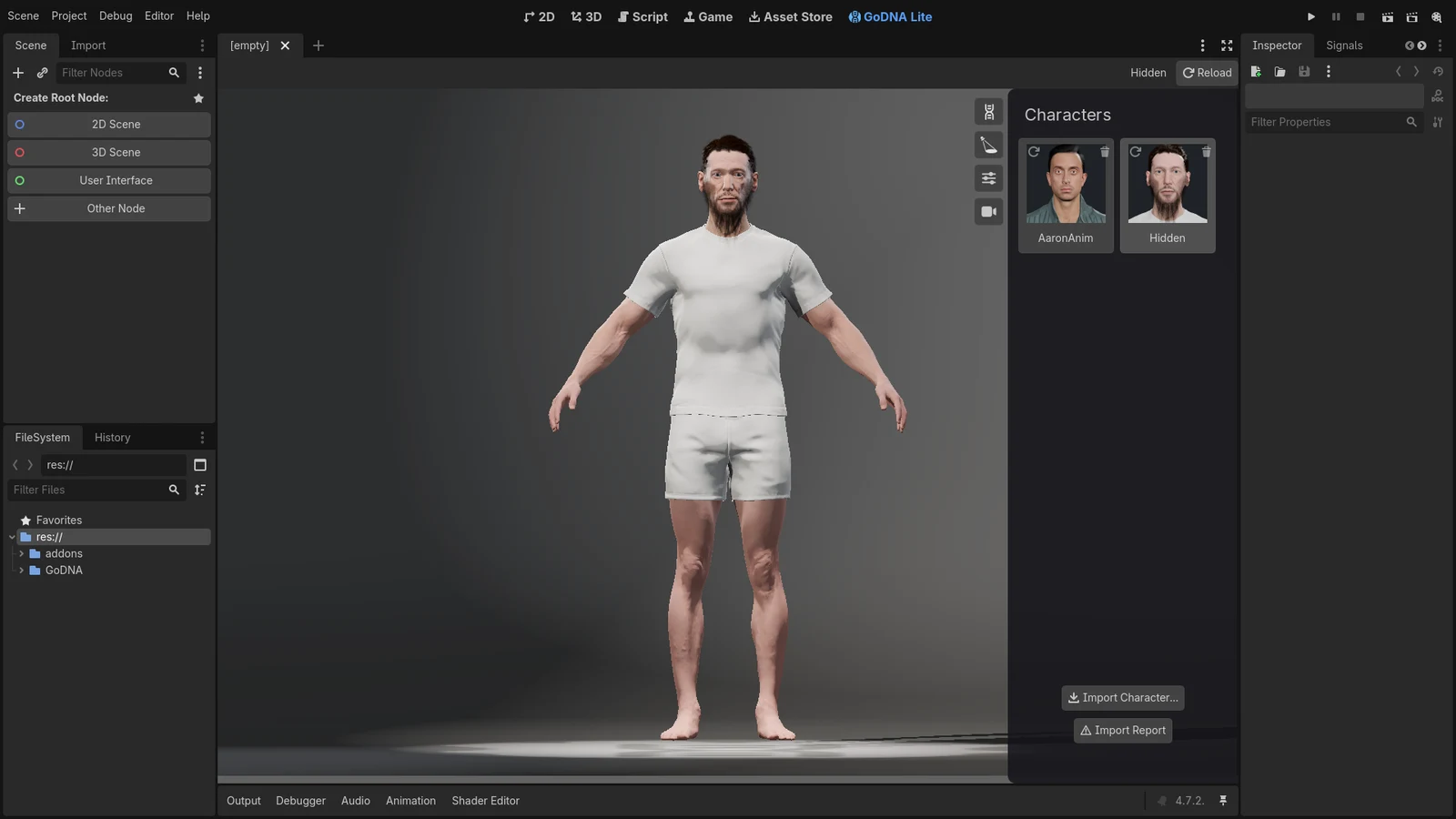
- The GoDNA tab, named GoDNA Lite: the 3D view and the four drawers, Characters, Studio Lights, Graphics and Camera. There are no other tabs.
Materials
Every surface but the hair gets Godot's StandardMaterial3D with the textures exported from Unreal (or Character Creator): skin with its normal and roughness maps, eyes with the iris, teeth and clothes. Hair cards get a light version of GoDNA's hair shader: soft edges, highlights along the strands, the hair color varied per strand and self-shadowing, without the light shining through the hair from behind.
There is no subsurface scattering on the skin and no refraction in the eyes; GoDNA Standard's shaders add them.
To change a material, open the imported character as an inherited scene (or select its mesh in your scene) and set a Surface Material Override on the mesh, as for any Godot model. The materials are ordinary Godot materials.
Settings
| Where | Setting | What it does |
|---|---|---|
Import dock (the .gdna) |
Setup Retargeting, and Godot's usual scene options | Sets the BoneMap and Rest Fixer so retargeted animations play. Leave it on. See Import options. |
The .gdna's options |
keep_jaw_bone, import_motion |
Edit the manifest by hand to change them; see the manifest reference. |
| Import dock (an animation FBX / glTF) | Retarget From | Which rig the clip was made for. See Retargeting. |
| GoDNA tab, drawers | Studio Lights, Graphics, Camera | How the tab's view looks. Saved per user, never in the character. See The GoDNA tab. |
GoDNAHuman (Inspector) |
head rotation, eye driver, twist | See GoDNAHuman. |
Animations in Lite
There is no Animations tab, so animations are set up with Godot's own tools:
- Import the clip as an Animation Library with Retarget From set (see Retargeting).
- In your scene, add an
AnimationPlayeras a child of the character, add the library to it, and play it.
A Character Creator character exported from iClone with a motion brings it along: it plays on the character's own
AnimationPlayer.
Moving up
GoDNA Standard adds the shaders and the Animations and Materials tabs; GoDNA Pro adds the face. Characters keep working when you change edition: reimport them so the importer gives them the new edition's materials (and face shapes).